Onyx Casino Deposit Options and AUD Banking Methods
Updated November 2026
Licensed
 Available in AU
Fast payouts
18+ Only
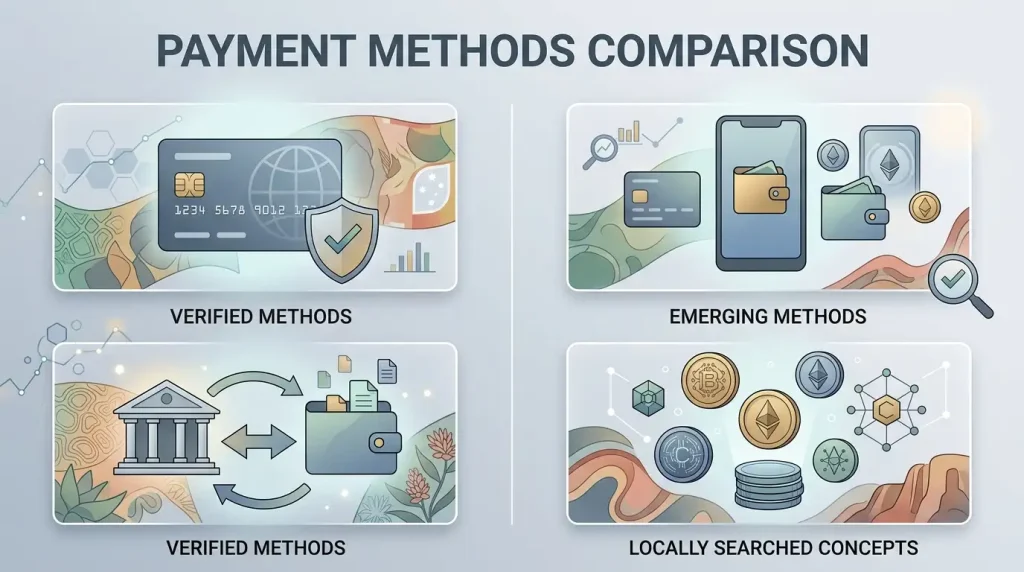
Onyx supports both fiat and cryptocurrency transactions at a general terms level. Public information about the service also lists Bitcoin, USDC, TRX, USDT, Litecoin, Ethereum and DAI, although the exact cashier menu should be checked when making a transaction. PayID, Osko, Neosurf and an AUD-denominated cashier should not be assumed unless those options are shown in the account cashier.
That distinction makes the payments picture more useful: the general transaction types supported by Onyx can be separated from specific crypto assets and from locally familiar Australian payment names that may or may not appear in the cashier.
Table of Contents
- Supported AUD Payment Methods, PayID and Gateways
- Fiat deposits and withdrawals
- Crypto support is real, but the exact coin menu can change
- PayID and Osko: familiar in Australia, not established for Onyx
- Do not assume an AUD cashier
- Choosing a payment method: deposits are only half the decision
- A practical way to compare payment options
- KYC can affect the payment journey
- Why fees, limits and processing times can vary
- Australian regulatory context is separate from payment availability
- Practical view of Onyx payment methods
- FAQ
Supported AUD Payment Methods, PayID and Gateways
| Area | Current position | Practical limit |
|---|---|---|
| Fiat transactions | Fiat deposits and withdrawals are supported in general, subject to the methods available in the cashier. | A specific Australian bank method, exact minimum, fee or processing time can depend on the live cashier. |
| Cryptocurrency | Bitcoin, USDC, TRX, USDT, Litecoin, Ethereum and DAI are listed in public information about the service. | Every listed coin may not be available to every account at every moment. |
| Australian payment names | PayID, Osko, Neosurf and AUD are familiar points of comparison for Australian readers. | Do not assume Onyx supports them unless they appear in the live cashier. |
Fiat deposits and withdrawals
The Onyx terms support fiat transactions in general. That means conventional currency deposits and withdrawals are part of the platform’s payment model. The exact methods available are cashier-dependent, so readers should treat fiat support as general rather than assume a fixed list of cards, bank rails or e-wallets. This matters because payment menus can vary by account, jurisdiction, currency and payment partner. A method visible to one user is not automatically available to another. Deposit minimums, fees and settlement times should be checked in the current cashier because they can vary by method and account. For an Australian reader, the live cashier is the best place to check method availability. Before depositing, check the displayed currency, minimum amount, any method fee, and whether the same method can be used for withdrawals. Those transaction details can change more quickly than the broad availability of fiat transactions.Crypto support is real, but the exact coin menu can change
Cryptocurrency support is part of the Onyx payment picture. Official terms support crypto transactions generally, while public information about the service lists Bitcoin, USDC, TRX, USDT, Litecoin, Ethereum and DAI. That is enough to say directly that Onyx supports cryptocurrency transactions. It is not a reason to promise that all seven assets will always appear for every account. Crypto cashiers can add or remove networks, separate assets by chain, impose account-specific limits or temporarily disable a coin. Checking the live cashier before sending funds is therefore a transaction-safety step because asset and network availability can change. Crypto also introduces a second distinction: asset support versus network support. A cashier may support a token such as USDT on one network but not another. Sending to the wrong network can be difficult or impossible to reverse. The live deposit screen should always be used for the current address and network instructions.PayID and Osko: familiar in Australia, not established for Onyx
PayID and Osko are familiar Australian bank-transfer terms, but neither method should be treated as available at Onyx unless it appears in the live cashier. If PayID or Osko appears in the live Onyx cashier for a particular account, that is the relevant availability check. Until then, Onyx support for those methods should not be assumed simply because they are familiar to Australian users. The same logic applies to Neosurf. Its popularity with Australian users does not prove brand-level support. Treating “popular in Australia” as equivalent to “available at this casino” can create false confidence when funding an account.Do not assume an AUD cashier
AUD is the local currency, but an AUD account balance or AUD-denominated cashier should not be assumed. Onyx supports fiat and crypto transactions in general, while the account currency still depends on what the live cashier presents. If the cashier presents a different settlement currency, the payment provider or card issuer may apply conversion. Exchange rates and conversion costs are transaction-specific and can change, so they should be checked at the time of payment. The useful check is to compare the amount debited by the payment provider with the amount credited by the casino before repeating a larger transaction. For readers who prefer to minimise currency uncertainty, a displayed AUD option would be simpler to interpret than a foreign-currency deposit. But whether that option exists must be checked in the live cashier rather than inferred from an Australian-facing context.Choosing a payment method: deposits are only half the decision
A good deposit method is not necessarily the best overall payment method. The withdrawal path matters too. Some casinos route withdrawals back to the original funding method where possible, while other methods are deposit-only or require an alternative payout route. Exact Onyx withdrawal rules, processing times, fees and limits belong on the dedicated Onyx withdrawals page, where they can be handled separately. Before depositing, a practical checklist is:- Confirm the method is visible in your own cashier rather than relying on a generic list.
- Check the displayed deposit currency and minimum.
- Check whether a fee is shown before confirming the transaction.
- See whether the same method can receive withdrawals.
- For crypto, verify both the asset and the blockchain network.
- Keep transaction records until the balance and any later withdrawal are complete.